Extension exercise
Recap: We practiced improving elements of a preregistration by spotting signs of ambiguity and suggesting improvements.
Practice preregistration
For this extension exercise we will be using the preregistration platform AsPredicted. The aim is to increase your familiarity with the process of filling out a study preregistration and noting down any challenges while you practice. For this exercise you can draw from your own research project and have a go at filling the 11 questions in 20 minutes. 20 minutes should be sufficient time to get a taster for the process. After 20 minutes, spend 5 minutes going through the reflection questions below to help you think about your experience of completing this exercise.
Prerequisites:
Completion of the build up your preregistration toolkit exercise.
Learners are currently in the conceptualization stage of research study (e.g. formulating research questions, literature review, and data collection methods).
Access the ASPredicted platform
An institutional email address
Learning objectives: Practice and evaluate the process of implementing components of a study preregistration.
Instructions
Instructions are numbered below for setting up AsPredicted preregistration template (should take no more than 3 minutes).
Step 1: Find the AsPredicted homepage
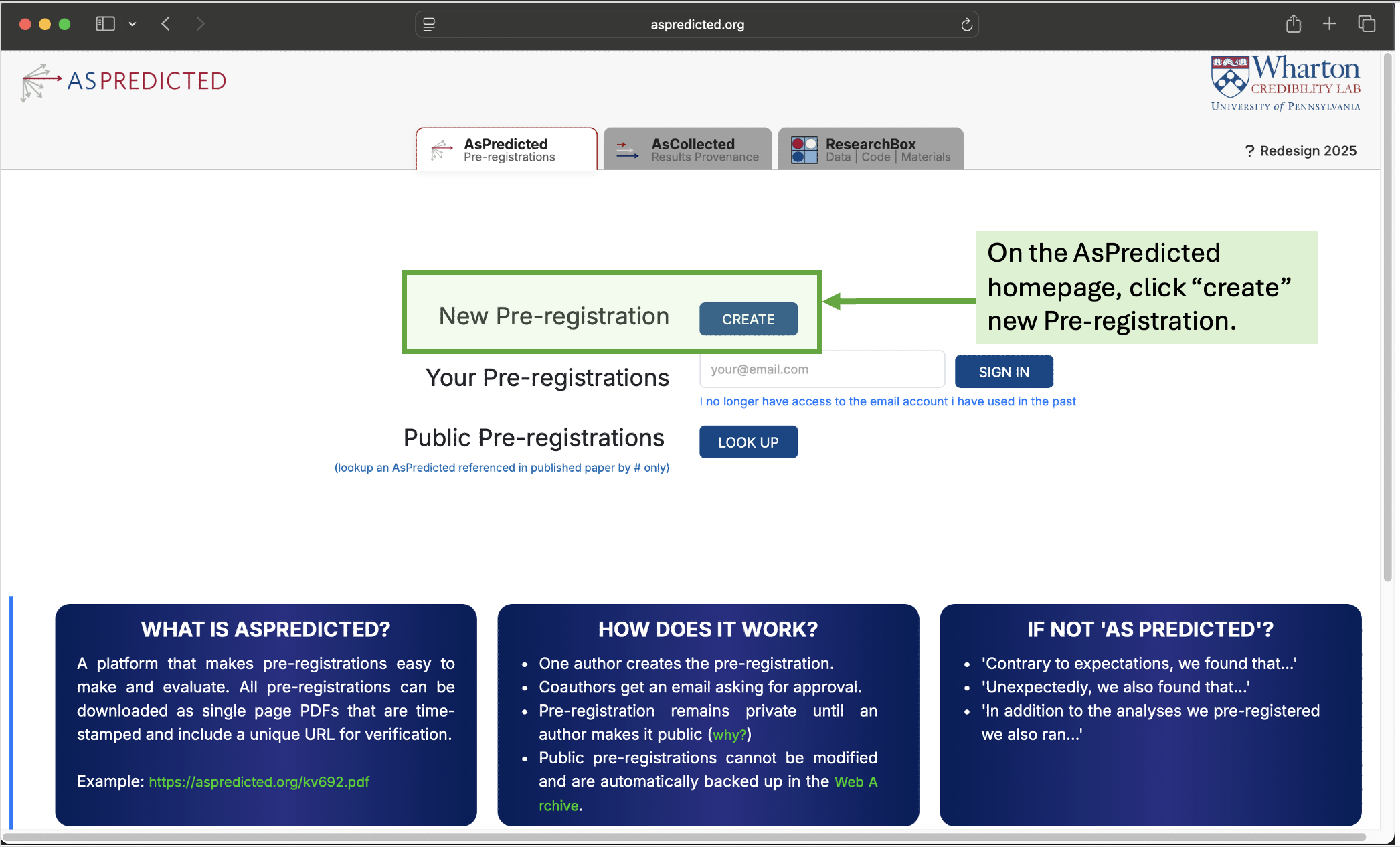
Visit https://aspredicted.org and create a new preregistration. On the AsPredicted homepage, click “create” new Pre-registration.
Step 2: Register and verify email
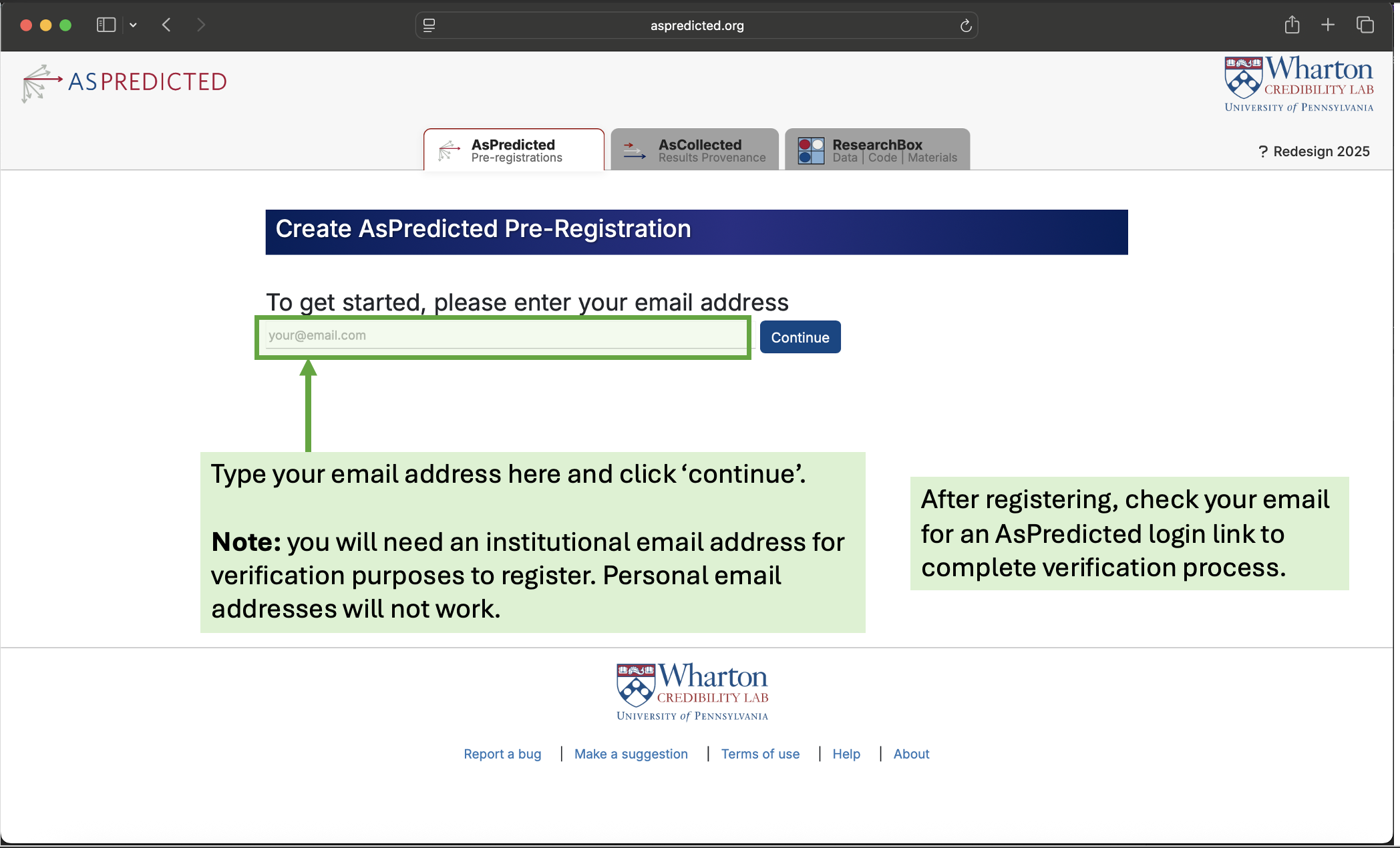
Submit your institutional email address to register (if you have an account already you can skip this step).
You will need an institutional email address for verification purposes to register. Personal email addresses will not work. After registering, remember to check your email for an AsPredicted login link to complete verification process.
Step 3: Create a “practice mode” new preregistration
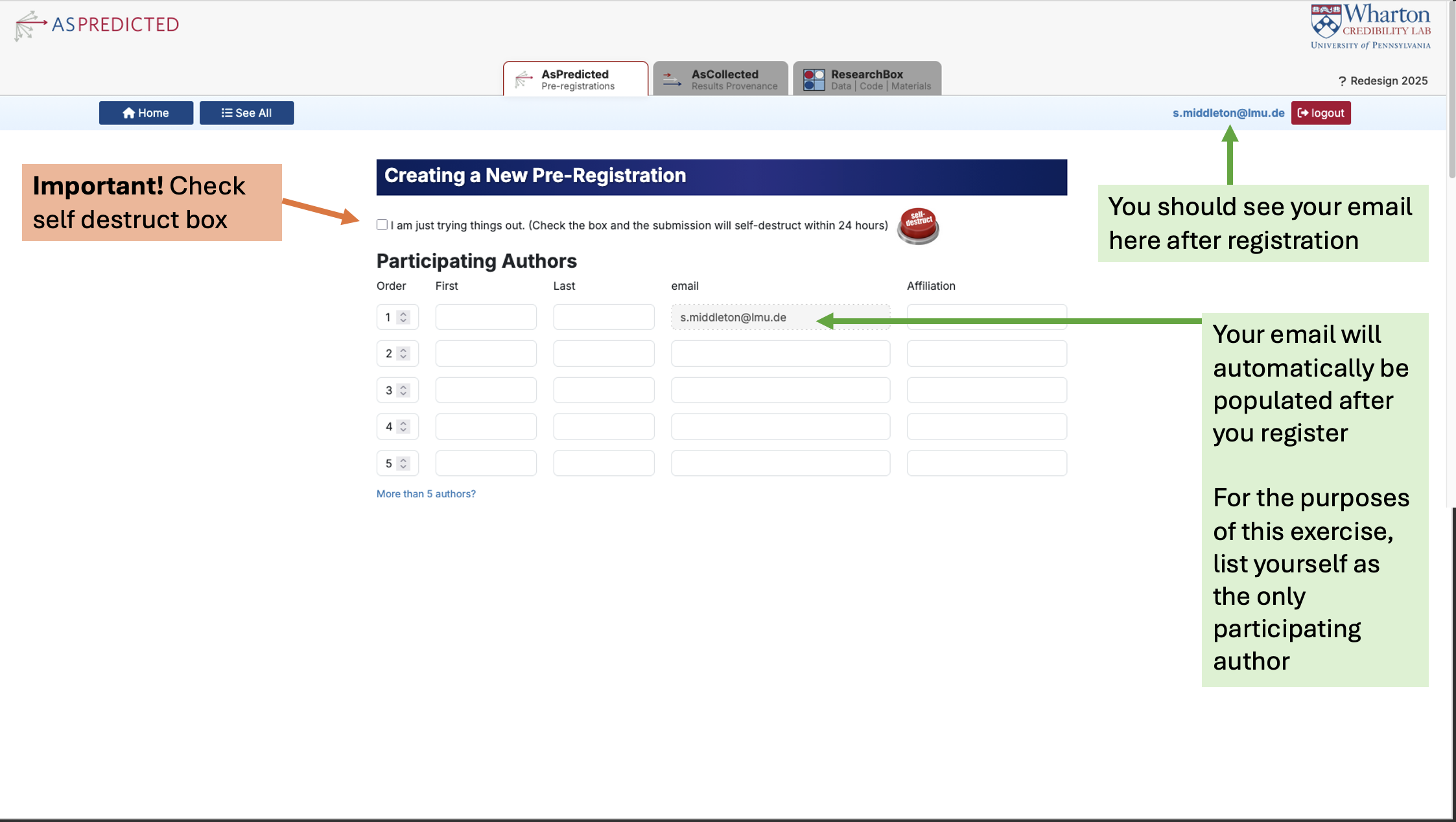
Check you see your email in the top right of the screen (this is a sign that you have successfully registered). Your email address should also appear automatically in the “Participating Authors” field under “Creating a New Pre-Registration” section. For the purposes of this exercise, list yourself as the only participating author. Press the self destruct button, which is essentially the practice mode version of a study preregistration. All your answers will be deleted after 24 hours.
Press the self destruct button, which is essentially the practice mode version of a study preregistration. All your answers will be deleted after 24 hours.
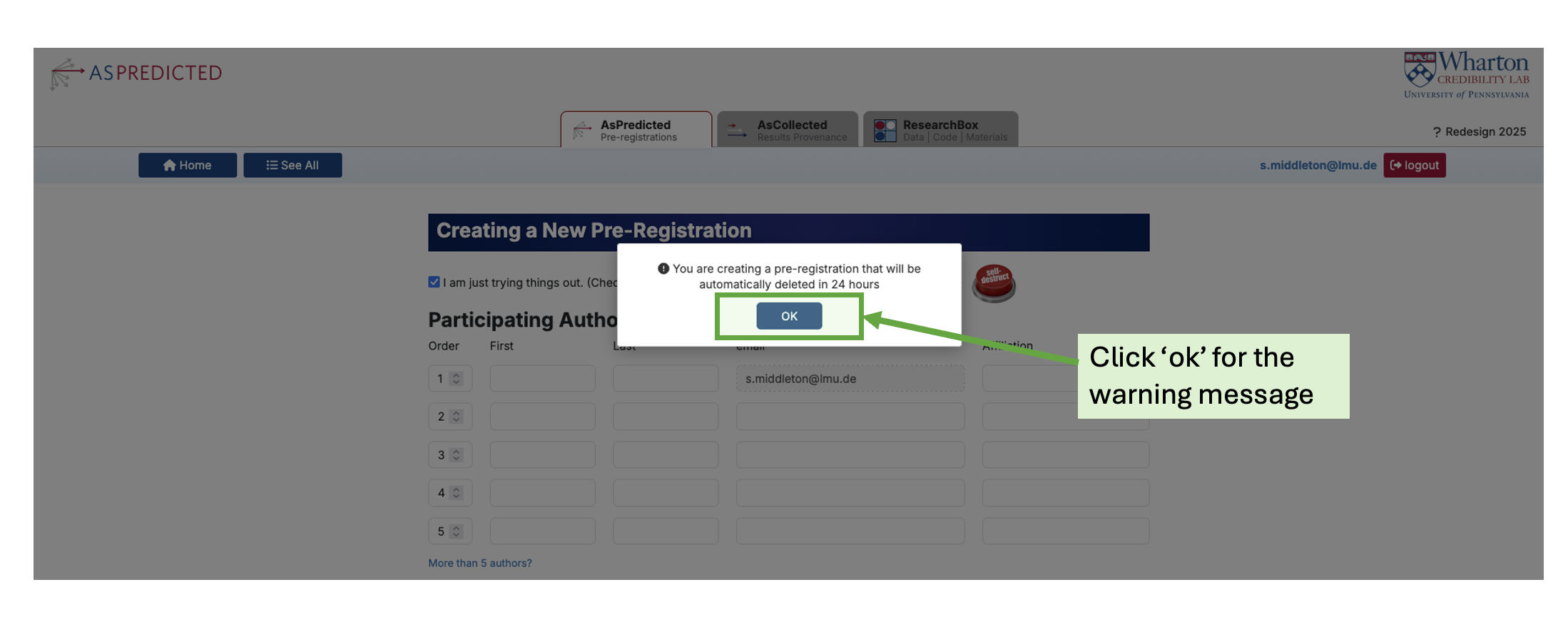
Click “ok” for the warning message.
Step 4: Fill out the preregistration template
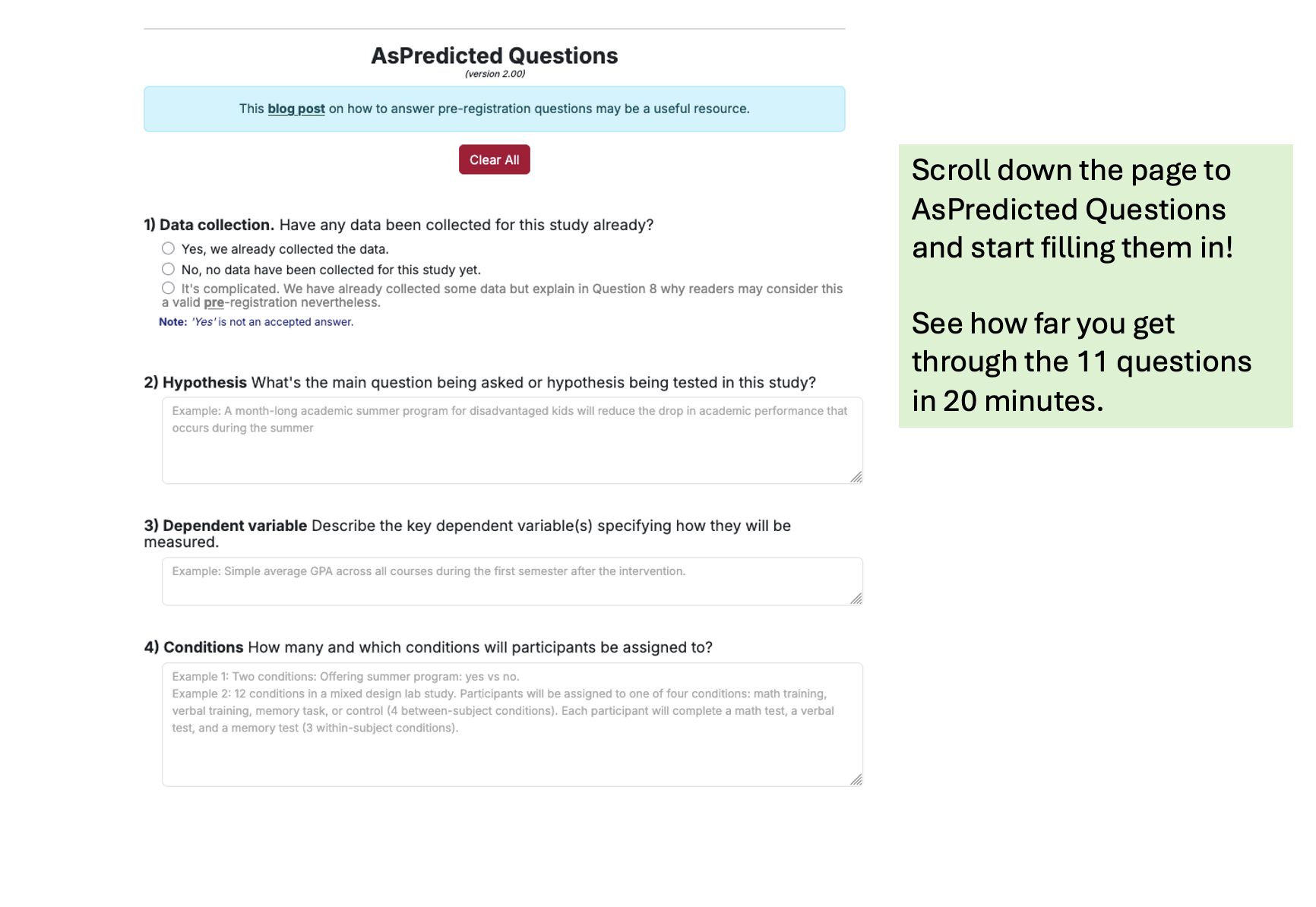
For 20 minutes have a go at filling in the preregistration for an upcoming study. There are 11 questions, see how far you get through them in 20 minutes.
Step 5: Reflect on the exercise
After 20 minutes, spend 5 minutes reflecting on the process using reflection questions below.
Did you go through the questions in order?
Were there any questions you were not expecting?
What was the most challenging part of the preregistration process?
Depending on your subject area/research methods you can do a similar exercise using different templates here.
Well done for completing the final exercise!